Evaluating Your Current Website Design: 5 Tips for Non-Designers
In today's day and age it is more important now than ever to have a solid web presence for your business. If you already have a website for your business that is great, but the real question is whether your current website is meeting the needs for your business. Below are some simple tips to think about when deciding whether your current website is meeting those needs for your viewers needs as well as for your business goals.
Tip 1: Know Your Goals
When evaluating your current website it is important to think about what your goals are for your business and the purpose that your website serves. When first thinking about whether or not your website is meeting your needs, an important first step is to evaluate the goals you have for your business.
So what are some of these goals we are speaking of? Obviously optimizing your conversion rate is a huge goal for any website, but it goes deeper than that. You need to make sure you align your design goals with your business goals. For example, If you are trying to increase donations for your nonprofit, ask yourself if the donate button easy to find. Asking yourself these kinds of questions will help to make sure your design is consistent with your goals.
Tip 2: Making Sure Your Website is Mobile Friendly
Today much of your website traffic is coming from mobile devices, so it is incredibly important to make sure your website is mobile friendly. If your website is not mobile friendly and someone goes onto your site from a mobile device they are sure to have a bad experience with it. If this happens, the chances of that person returning to your site is slim to none.
A great way to check whether your site is mobile friendly is a tool in which Google offers that lets you know whether the site is mobile friendly and what items need to be fixed in order for it to be considered mobile friendly.
Click here to see if you meet Google’s Mobile Friendly Requirements.
Tip 3: Does Your Website Have Relevant Content?
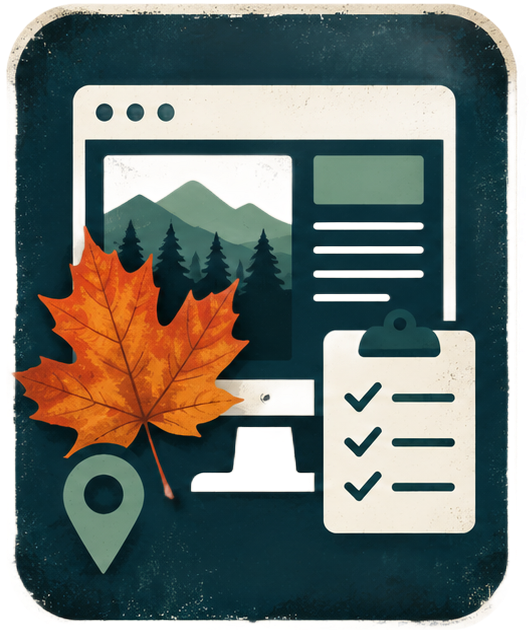
It doesn’t just end with the question as to whether your site has content relevant to your business. It is also important to ask yourself whether that content and information is easy for the viewer to find. Make sure the information on your site is easy for the viewer to navigate to. A great way to make sure it is, is by creating a site map.
When you start with your sitemap, think about what you want a visitor to get out of each page. This will help to give you a foundation for evaluating the designs and wireframes. Having goals that you can refer back to will serve as a guide for on-going website management.
Tip 4: Check Your Site Load Time
No customer wants to wait three minutes for a site to fully load. If they have this experience on your website then the chances of them ever going back are very low. It is important to make sure your site can load in under seven seconds to keep the convenience factor key for your visitors. Google offers a page speed insights test in which you can see how long your site takes to fully load and if it meets Google’s page speed compliance test.
Click here to see if your website meets these Page Speed requirements.
Tip 5: Make Sure Your Site Design Goes With Your Branding
For any business it is important your brand image is consistent, and that is through all aspects of the business whether it is print materials, your logo, or your website. Having inconsistent branding can lead to confusion for your customers and potentially make them lose a sense of trust within your brand. Make sure you have developed an idea of what your business brand means to you and what you are trying to convey within that brand.
Conclusion:
Often times we see a knowledge gap between our clients and design specialists and this comes to no surprise because most of our clients do not have the time, energy, or proper training to know whether the site is serving its full purpose and there is nothing wrong with that!
Without having this type of educational background it can be difficult to effectively evaluate your website and making sure it meets your branding guide. If you are questioning whether or not your site needs an update give us a call today and we can help you out!